

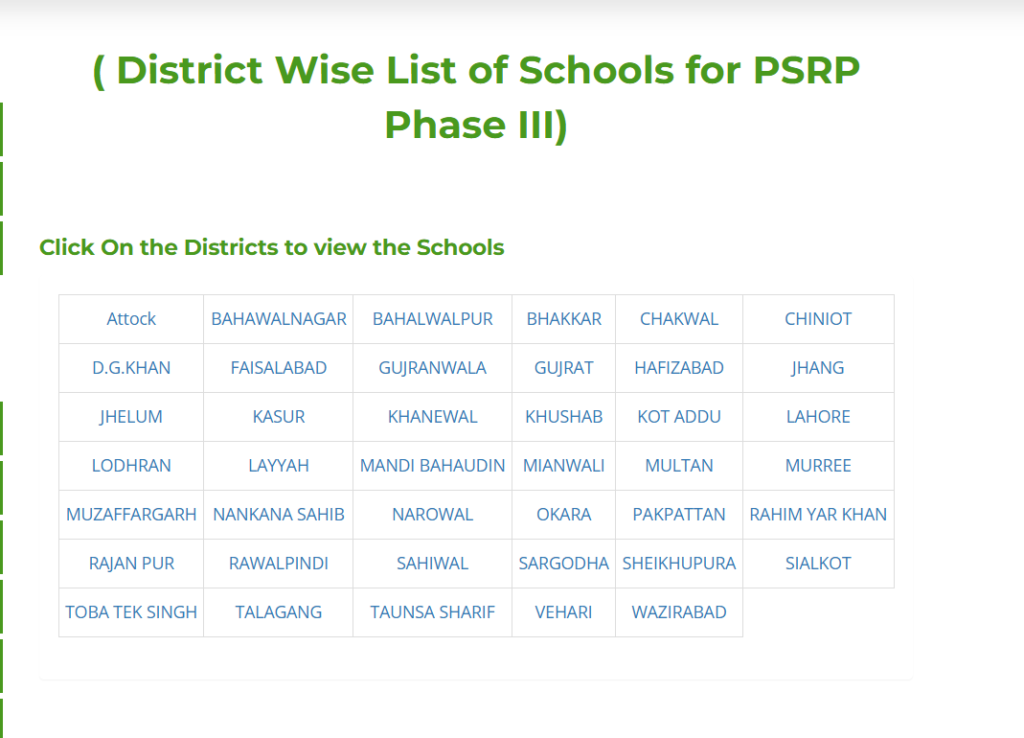
To check the PEF PSRP Phase 3 school list 2026, visit the official Punjab Education Foundation website at click on your district, open the PDF, and search using Ctrl + F with your school name or EMIS code. This is the fastest and only correct way to verify schools for Public School Reorganization Program (PSRP) Phase III.
What Is the PEF PSRP Phase 3 School List?
The PEF PSRP Phase 3 school list is the official district-wise list of government schools selected for the Public School Reorganization Program Phase III in Punjab. It includes school name, EMIS code, district, tehsil, and school level. You must choose only from this list when applying.
How to Check PEF PSRP Phase 3 School List Step by Step
- Step 1: Go to the Official PEF Page Open your browser and visit: PEF
- Step 2: Click Your District Scroll and click the name of your district (e.g., Multan, Lahore, Faisalabad, Bahawalpur, etc.).
- Step 3: Open the District PDF The PDF for your district will load or download automatically. It shows all eligible schools organized by tehsil.
- Step 4: Search Your School Press Ctrl + F (or Command + F on phone) and type:
- School name
- EMIS code
- Tehsil name
Step 5: Verify the Details Check these important fields:
| Field | What You Must Verify |
|---|---|
| School Name | Exact and correct spelling |
| EMIS Code | 8-digit unique code |
| District | Must match your area |
| Tehsil | Correct administrative division |
| School Level | Primary, Elementary, High, etc. |
What If My School Is Not Listed in PSRP Phase 3?
If your school does not appear in the list, you cannot apply for it under PSRP Phase 3. Many government schools are not included. Wait for future phases or contact your local District Education Officer (DEO) or PEF office for clarification.
Why You Must Check the Official PEF School List
Checking the official list prevents application rejection, helps you select the best school strategically, and ensures you use accurate 2026 data.

Common Mistakes to Avoid
- Using old Phase 1 or Phase 2 lists
- Downloading from Facebook, WhatsApp, or unofficial websites
- Ignoring the EMIS code
- Choosing the wrong tehsil or district
Always use only the official link above.
Frequently Asked Questions
How can I check the PEF PSRP Phase 3 school list 2026?
Visit https://www.pef.edu.pk/Publications/PSRPSchoolsList, click your district, open the PDF, and use Ctrl + F to search your school or EMIS code.
Where can I download the official PSRP Phase 3 school list?
All district-wise PDFs are available free on the official PEF website: https://www.pef.edu.pk/Publications/PSRPSchoolsList

What details are in the PEF school list?

It includes school name, EMIS code, district, tehsil, and school level.
Can I apply for a school not in the PEF list?
No. Applications are accepted only for schools mentioned in the official PSRP Phase 3 list.
Is the school list updated for 2026?
Yes, the current lists are for PSRP Phase III 2026.

Final Advice
Always download the latest district PDF from the official PEF website before starting your PSRP Phase 3 application. Taking a few extra minutes to verify the correct information can prevent major mistakes later. Always rely on official sources, review the details carefully, and choose your school strategically to improve your chances of selection.
